How to get more Google reviews: a simple, honest routine for any business
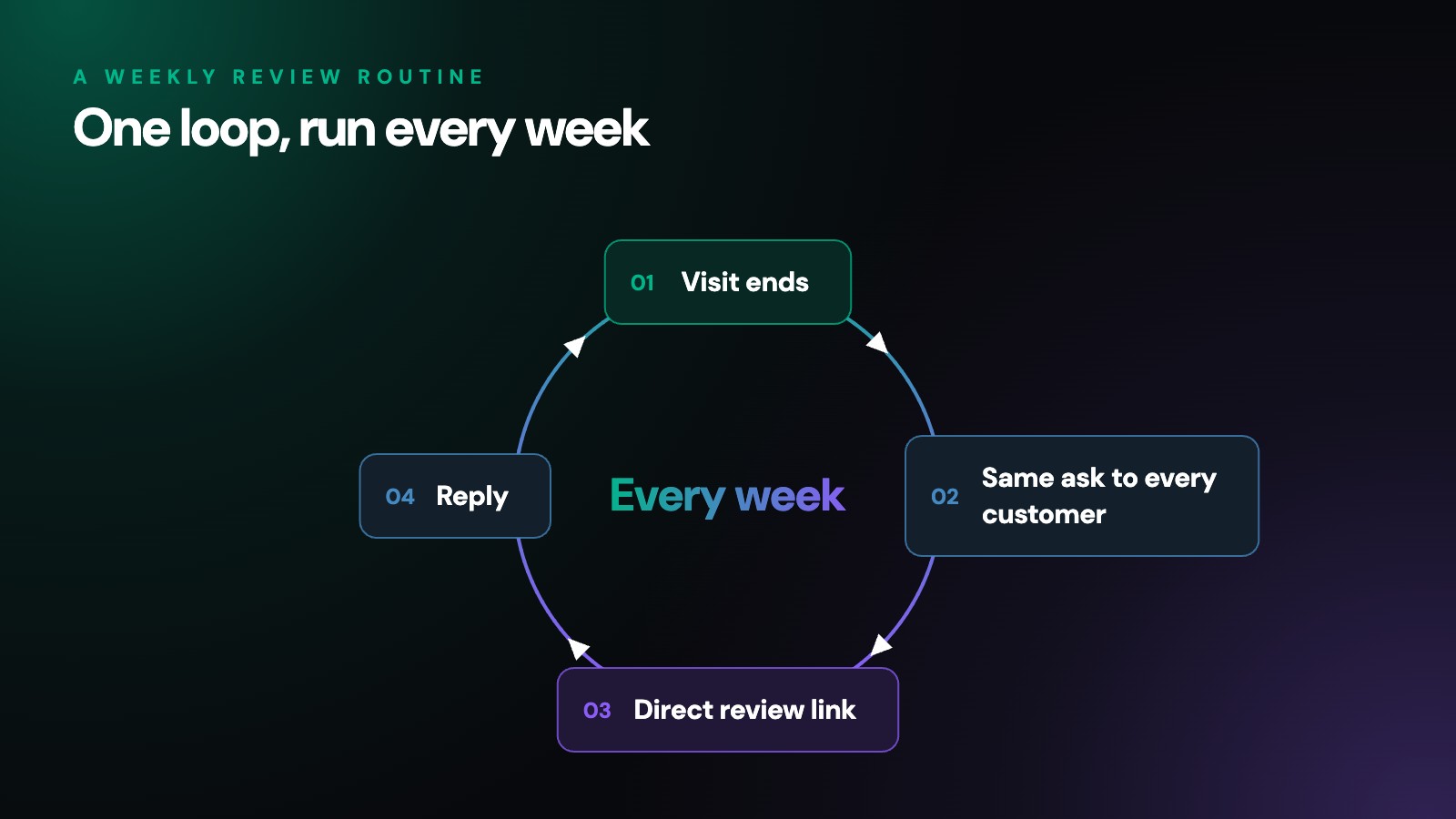
The way to get more Google reviews is to ask every customer, the same way, soon after they buy or visit, with a direct link that opens your review form in one tap. Make it easy, reply to what comes in, and run the routine every week instead of once a year. Skip the shortcuts. Google removes reviews that were paid for or faked, and the FTC can seek penalties for some of them. This guide walks through each step.
If you would rather hand the whole routine to someone else, our review management services run it for you. This page is for owners and managers who want to set it up themselves.
Where do you find your Google review link?
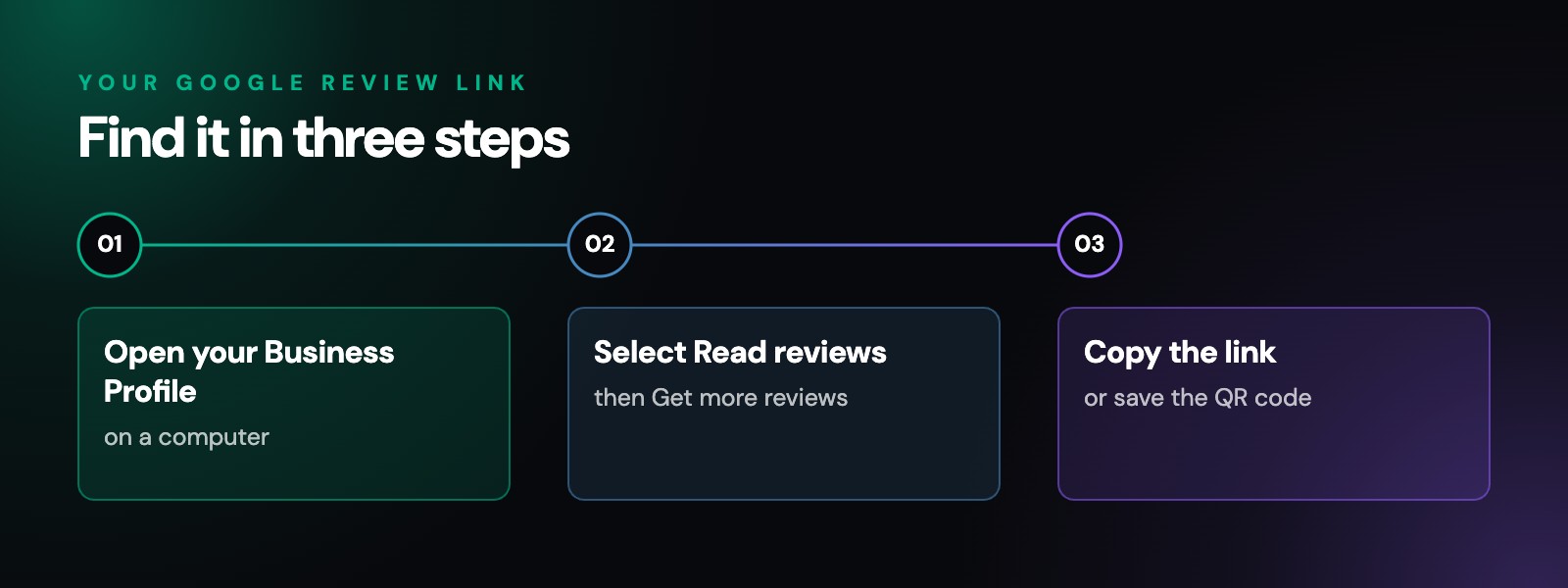
Google gives every Business Profile its own review link and QR code. Its help page lays out the steps:
- Open your Business Profile on a computer.
Google says review QR codes can only be made in a computer browser for now, not on a phone.
- Select Read reviews, then Get more reviews.
- Copy the link, or save the QR code.
Right-click the code and choose Save image as.
Test the link on your own phone before you send it anywhere. It should open the review form straight away, with no searching.
How should you ask for Google reviews?
Think of your review link like a guest book by the front door. Most people will sign it when it is in plain sight and someone mentions it. Almost nobody goes looking for it. So the job is to put the link where customers already are. Google’s help page suggests:
- Receipts and invoices.
- Thank-you emails after a purchase or a finished job.
- The end of a chat or support conversation.
- A printed QR code at the counter or checkout.
Texts work too, but only to customers who agreed to receive them.
- Ask everyone.
Every customer from the week gets the same request, whether their visit went perfectly or not. Google’s policy does not let businesses ask only for positive reviews, and Google itself says a mix of positive and negative feedback often feels more trustworthy.
- Keep the request short.
A good one thanks the customer, asks for an honest review and includes the link. Leave out star icons, suggested wording and any hint about what to say.
- Check your own rules first.
Some licensed professions limit asking clients for reviews at all. If you hold a professional license, read your code of ethics and your licensing board’s rules before you start.
When and how often should you ask customers for reviews?
Timing matters as much as wording. Ask soon after the experience, while it is still fresh. A request that shows up weeks later competes with everything else in the customer’s inbox.
- Service businesses:
send the ask the day the work is finished.
- Online stores:
send it after the order arrives, not when it ships, so the customer has the product in hand.
- Appointment businesses:
send it after the visit, not before.
One request and, at most, one friendly reminder a few days later is plenty. Running the routine every week keeps reviews arriving at a steady pace. A sudden burst can backfire: Google’s policy lists unusual volumes or patterns of reviews as a sign of rating manipulation.
How do you make leaving a review easy?
Every extra step loses people. A few small fixes help:
- Send the direct review link, not your homepage or a search for your business name.
- Mention the Google Account. Google says reviewers must be signed in, and they can create an account with a non-Gmail email address.
- Test on a phone, since that is where many people will tap the link.
- Place the QR code where people pay or wait, at eye level, with a short, neutral line inviting an honest review.
- Let staff mention it once. Telling customers that reviews are welcome is fine. Quotas, pressure at the counter and asking customers to name a staff member are not.
What gets Google reviews removed?
Shortcuts usually cost more than they bring in. Google’s policy on fake engagement and rating manipulation says reviews like these are not allowed and will be removed:
- Paid reviews,
whether the payment is money, a discount or free goods or services.
- Conflict of interest reviews,
such as reviews from current or former employees, family members or competitors.
- Reviews from many accounts
posted by, or at the request of, one person.
- Unusual volumes or patterns
of reviews that point to an effort to manipulate a rating.
The same policy says businesses may not discourage negative reviews or selectively ask for positive ones. Google can also restrict a Business Profile that breaks its rules.
Federal rules apply too. The FTC’s Consumer Reviews and Testimonials Rule took effect on October 21, 2024. The FTC says paying for 5-star reviews violates the rule, and the rule lets courts impose civil penalties for knowing violations.
Should you reply to the reviews you get?
Yes, in most cases. Replies show future customers that someone reads what they write. Google’s tips for replies are simple: be polite, keep it short, and never share a reviewer’s private information. Google also suggests skipping the same thank-you under every review and focusing on replies where you can answer a question or share a helpful update.
Some businesses carry extra privacy rules into every reply. Our healthcare SEO page explains why a medical or dental practice handles reviews with more care than most.
What if the reviews still are not coming in?
Work through these in order:
- The list.
Is every customer getting the ask, or only some? Missing email addresses and phone numbers are the usual gap.
- The link.
Does it still open your review form on a phone?
- The timing.
Is the ask going out days or weeks after the visit?
- The channel.
If emails go unread, add the link to receipts, chats or a counter card.
- The experience.
Reviews follow service. A routine cannot fix a problem customers keep running into, and the reviews you do get will tell you where to look.
Reviews are only one part of local search. Google’s guide to local ranking counts how many reviews a business has as part of prominence, alongside signals like how many websites link to it. Our SEO and digital marketing services cover the rest of what helps a business get found.
What else do people ask about getting Google reviews?
How do I find my Google review link?
Open your Business Profile, select Read reviews, then Get more reviews, and copy the link. The same screen offers a QR code, which Google says can only be made in a computer browser for now.
Do customers need a Google Account to leave a review?
Yes. Google says customers must be signed in to a Google Account to post a review, and they can create one with a non-Gmail email address.
Can I buy Google reviews?
No. Google removes reviews that were paid for, directly or in kind, and the FTC says buying 5-star reviews violates its Consumer Reviews and Testimonials Rule. Courts can impose civil penalties for knowing violations.
Should I send a reminder if a customer has not left a review?
One friendly reminder a few days later is fine. After that, let it go. More than one follow-up starts to feel like pressure, and pressure is exactly what Google asks businesses to avoid.
How long does it take to get more Google reviews?
Count on three to four months as a general guide before a weekly routine shows a clear trend. A business that serves only a few customers each week will see it build more slowly.
How do your Google reviews compare today?
Generative Digital sets up review routines for businesses in eligible industries across the US, alongside SEO, AI search and paid search. See the industries we know well. Our free digital audit shows how your Business Profile, reviews and website look to search engines and AI tools right now, and what to fix first.
Get startedWorking with businesses across the US
© 2026 Generative Digital LLC